How to Replace the Screens in Your Viwinco Window
Throughout the year, homeowners may choose to temporarily remove and store their window screens. Doing so can help protect screens from damage during severe weather events like snowstorms, high winds, or hurricanes, while also reducing wear during extended periods of non-use, or to accommodate season preference for airflow and visibility.
Regardless of the reason, removing and reinstalling your Viwinco screen is quick and straightforward!
Viwinco windows use two different types of screens: leaf spring screens, and plunger bolt screens. Both are designed with low-profile hardware to preserve clean sightlines while still holding the screen securely in place when installed.
Below, we’ll explain how to remove and reinstall each Viwinco window screen type.
How to Remove a Viwinco Leaf Spring Screen
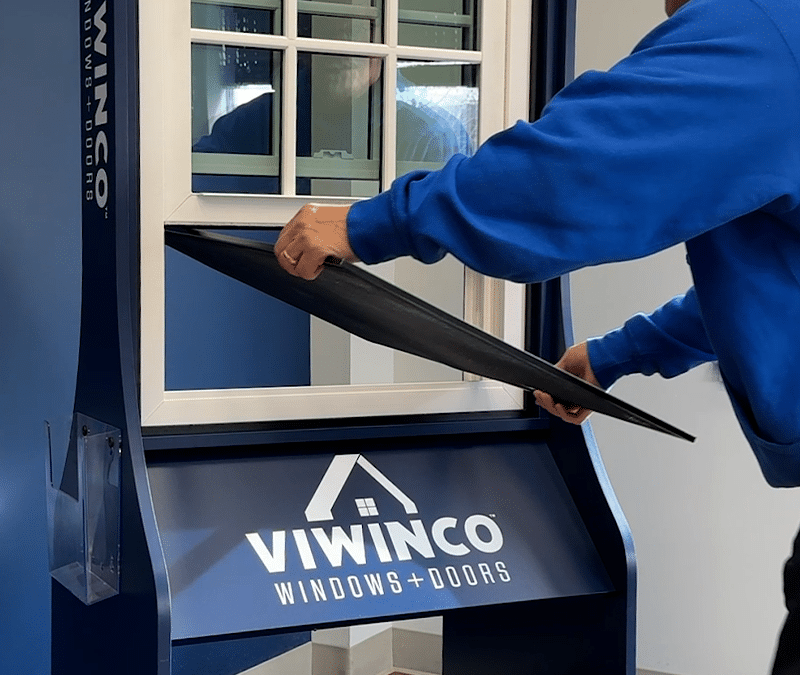
Leaf spring screens use spring-loaded edges that compress against the window frame to hold the screen in place. These screens are used on Viwinco single-hung, double-hung, and slider windows.
Removing a Leaf Spring Screen from Single-Hung or Double-Hung Windows
- Unlock the window and raise the bottom sash.
- If your window is double-hung, lower the top sash to about the center of the frame for easier access.
- Place your fingers into the screen frame at the top and bottom right corners.
- For single-hung windows, use both hands at the bottom right corner.
- Push the screen inward toward the left side of the window frame to compress the springs.
- Once the screen is released from the track, pull it out from the left side of the frame.
- Tilt the screen gently and bring it inside through the open sash.
Removing a Leaf Spring Screen from a Slider Window
- Unlock and open the sliding sash.
- Slightly open the screen and insert your fingers into the bottom portion of the screen frame.
- Push upward to compress the springs and release the screen from the track.
- Once unseated, grasp the screen firmly and tilt it through the open sash to remove it.
How to Reinsert a Viwinco Leaf Spring Screen
To reinstall a leaf spring screen on single-hung, double-hung, or slider windows:
- Position the screen so it is oriented correctly within the window opening.
- Tilt the top of the screen into the screen track.
- Push upward (slider) or sideways (-hung), depending on the window type, to compress the leaf springs.
- Once the springs are compressed, guide the opposite side of the screen into the track.
- Release pressure to allow the springs to expand and lock the screen securely in place.
Confirm the screen is fully seated by gently pressing along the frame.
How to Remove a Viwinco Plunger Bolt Screen
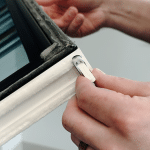
A plunger bolt screen uses plunger bolts on the left and ride sides of the screen to keep the screen securely in place. Viwinco casement windows use plunger bolt screens.
Plunger bolt screens use spring-loaded pins located on the left and right sides of the screen frame. This style is used on Viwinco casement windows.
Removing a Plunger Bolt Screen from a Casement Window
- Locate the plunger pins along the right side of the screen.
- Pull the pins outward to disengage them from the window frame.
- Once the pins are released, the screen will loosen and can be removed directly from the screen track.
How to Reinsert a Viwinco Plunger Bolt Screen
To reinstall a plunger bolt screen on a casement window:
- Slide the screen back into the screen track.
- Starting at the bottom and working upward, pull the plunger pins outward.
- Push the screen firmly into place and release the pins to secure the screen to the frame.
- Ensure all plunger bolts are fully engaged.
If you have any questions about removing the screen in your Viwinco window, our customer service team is here to help. For troubleshooting, maintenance tips, or product support, contact our customer service at 800-927-2848.